 Your home network needs IPv6 sooner than most people think, not because your Wi-Fi is about to stop working, but because the internet’s original address system ran out of room years ago. According to Engadget, roughly half of Google’s users now reach the company over IPv6, yet many home routers still have the newer protocol switched off. That gap decides whether your console, smart home gadgets and next router behave well or keep fighting a 1990s workaround.
The short version is reassuring. If your home network works fine today, Engadget says there is no compelling reason to dig through your router’s settings right now, and IPv6 will not make your Wi-Fi faster. But when you replace your router, or when gaming and smart home devices misbehave, knowing what IPv6 does (and does not do) saves a frustrating afternoon.
The Short Version
- IPv4, introduced in 1981, fixed every address at 32 bits, giving about 4.3 billion addresses. The last blocks went out in February 2011.
- Home routers cope with Network Address Translation (NAT), sharing one public address among all devices. Many providers add carrier-grade NAT, a second layer your router cannot control.
- IPv6, standardized in 1995, uses 128-bit addresses: about 340 undecillion, enough for every device to have its own address.
- A home network needs IPv6 most for online gaming, peer-to-peer connections and Matter smart home devices, which run on IPv6 through Thread.
- Before switching IPv6 on, confirm your provider supports it and your router’s IPv6 firewall is on.
Home Network Needs IPv6: Why IPv4 Ran Out
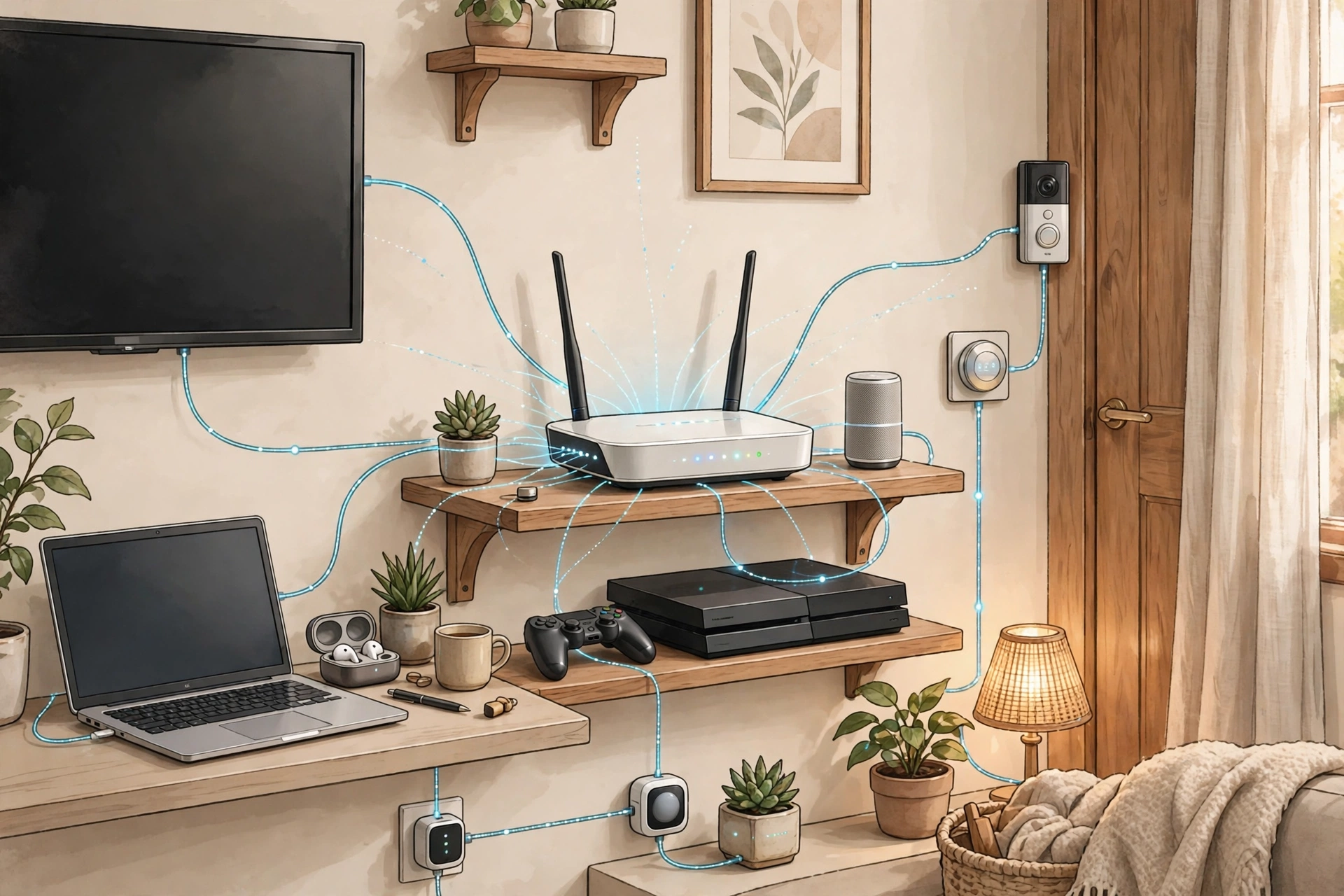
Count everything in a typical home that connects to the internet and the list gets long fast: phones, laptops, televisions, consoles, video doorbells and smart home devices. Under IPv4, all of them usually share one public internet address, and the router must work out which incoming data belongs to which device.
That sharing was not the original plan. IPv4 arrived in 1981 with all addresses fixed at 32 bits, creating around 4.3 billion addresses. That sounded enormous, but it was not enough: the Internet Assigned Numbers Authority assigned its last few blocks in February 2011, and North America’s allocation ran dry in September 2015.
Home routers answered with Network Address Translation, or NAT: the home holds one public address while each device inside gets a private one, and the router translates between the two. Most providers now do the same on a larger scale through carrier-grade NAT, placing groups of customers behind shared addresses. That second layer causes trouble because it sits outside your home, beyond your router’s control.
A connection coming in from the internet may not find its way to the right customer behind carrier-grade NAT. For ordinary web browsing that hardly matters, but for anything needing an incoming connection it matters a lot. In 2013, the research consortium CableLabs, along with several providers, tested everyday apps behind provider NAT: web browsing and Netflix worked fine, but peer-to-peer Xbox game connections died when both players shared a public address. That failed connection is exactly why a home network needs IPv6 today, even though the shortage dates to 2011.
IPv6 was designed to end that squeeze. First standardized in 1995 with 128-bit addresses, it offers around 340 undecillion addresses: Engadget cites a TechTarget comparison in which you could give an IPv6 address to every atom on Earth’s surface and still have enough for at least 100 planets of the same size.
There is a catch that explains why the switch has taken decades. IPv6 cannot talk to IPv4 directly, so today’s networks run both side by side in a setup called dual stack. As Network World has explained, NAT took enough pressure off that many providers had little incentive to switch. Adoption has still climbed: Google measured IPv6 use at just under 51 percent of its users on October 17, 2026, up from about 33 percent in 2020, with France at 87 percent, the United States at 55 percent and China at just over six percent.
What Changes Inside Your Home
With IPv6, every device on your home network can have its own public address, built automatically from a prefix your router advertises. That removes the translation layer behind the gaming problem. That is the core reason a home network needs IPv6: no translation layer between your device and the internet.
Gaming is where the difference is easiest to feel. Xbox multiplayer and chat used (and in some cases still use) a workaround called Teredo, a tunnel carrying IPv6 over IPv4, to get through home NAT. Microsoft has said carrier-grade NAT stuck players behind “strict” networks with degraded multiplayer. A home network needs IPv6 precisely to avoid that kind of workaround: a direct address beats a tunnel every time. The smart home is the second reason to care, since Thread, the low-power mesh used by many Matter devices, runs on IPv6 too.
Home Network Needs IPv6: What to Check Before You Switch
The first check is your internet provider, because it has to support IPv6 for you to use it. According to APNIC, around 85 percent of Comcast and AT&T users have access, while Frontier sits below 25 percent. Check your own provider rather than assume support.
If your provider is on board, the setting usually has its own menu: on TP-Link routers under Advanced, then IPv6; on Eero under Settings, then Advanced networking, then IPv6. None of this changes whether a home network needs IPv6; it only changes how safely you switch it on.
The second check matters more, and it is the one people skip. When you turn on IPv6, your router’s firewall takes on the job NAT used to do. NAT hid your devices behind one address; with each device holding its own public address, the firewall stands between them and inbound traffic. The Internet Engineering Task Force recommends filtering such traffic, but its guidance also requires an open “transparent mode” and allows manufacturers to make that the default. Before switching IPv6 on, make sure the firewall is actually on, and do not assume the factory default protects you.
There is one more leak to watch for. VPN apps that only tunnel IPv4 traffic can let IPv6 traffic slip outside the tunnel, exposing activity the VPN was meant to cover. If you rely on a VPN, check whether it handles IPv6 before you enable IPv6. A home network needs IPv6 to be set up with its firewall and VPN in mind, not switched on in isolation.
The Honest Verdict: Switch, or Leave It Alone
So should you switch IPv6 on tonight? Engadget’s answer is refreshingly undramatic: a home network needs IPv6 only when something actually needs it, so if your network does what you need it to, leave it alone. Devices that only speak IPv4 will carry on using it, and switching IPv6 off pushes everything back to IPv4, so there is no cliff edge to fear.
For most readers the practical rule is simple. Gamers hitting “strict” NAT warnings, households adding Matter and Thread devices, and anyone whose provider already supports IPv6 should check the firewall and switch it on. Everyone else can wait for the next router. Either way, a home network needs IPv6 in its future, even if tonight is not the night for a settings deep dive.


Quick Answers
Does my home network need IPv6 right now? Put simply, a home network needs IPv6 only if you have a reason: gaming trouble behind carrier-grade NAT, Matter devices, or a router replacement.
Is IPv6 safe to switch on? It is safe if the IPv6 firewall is on and filtering unsolicited inbound traffic. Do not assume the factory default does this: IETF guidance allows an open transparent mode as the default. Check the firewall first, and whether your VPN handles IPv6.
Is IPv4 shutting down? No. No source gives a switchover date, the two protocols will run side by side for years, and no source says a home network needs IPv6 by any deadline. The story is exhaustion and workarounds, not a shutdown.
The Takeaway
IPv4 ran out of addresses in 2011, NAT and carrier-grade NAT papered over the shortage, and IPv6, with its 340 undecillion addresses, is the real fix. In short, a home network needs IPv6 in its long-term plan, even if tonight is not the night to change settings. Half of Google’s users already arrive over IPv6, yet many home routers still have it off, and most homes will not notice until gaming, incoming connections or smart home gear struggle. Check your provider, firewall and VPN, and switch it on when you next change routers. Do it properly rather than quickly.
Sources: Engadget, “The internet needs IPv6 and so does your home network,” October 25, 2026, including its citations of Google IPv6 statistics (just under 51 percent on October 17, 2026, up from about 33 percent in 2020; France 87 percent, United States 55 percent, China just over six percent), APNIC provider access figures, the CableLabs 2013 NAT test, IETF home-router guidance, and Microsoft’s Windows IPv6 warning. Additional context: Engadget’s original article. PetaTech24 tested no router or device for this article, and all figures above are attributed to Engadget and the sources it cites.