iOS 27.2 RC Hands-On: HomePod Sound Glow, Lock Controls and Home Theater
The iOS 27.2 RC is the closest thing to the finished update that testers get before Apple ships it to everyone, and a hands-on look from 9to5Mac shows this release is about much more than the headline iPhone features. The most interesting changes live in the living room, not on the phone screen. Your HomePod is about to get a light show, a child-proof lock, and a bigger role in your TV setup.
A release candidate is Apple’s near-final build, the version that ships unless a last-minute bug appears. The hands-on covers five areas: Sound Glow for HomePod, a new Lock Controls toggle, TV app profiles, the return of Suggested Actions in Messages, and setup assets for a new Apple TV Home Theater mode.
What You Need to Know
- Sound Glow turns the HomePod top into a color-matched animated canvas in the iOS 27.2 RC, pulsing with the music you play.
- It works on existing hardware: first-generation HomePod mini and second-generation full-size HomePod, not just the new HomePod mini 2.
- Lock Controls disables touch on the HomePod top, with a red shake animation when someone tries anyway.
- TV app profiles come to iPhone, so kids no longer clutter your Up Next queue.
- Suggested Actions returns to Messages after being cut before iOS 27 shipped.
- Setup assets point to a fourth-generation Apple TV Home Theater mode using four HomePods in two stereo pairs.
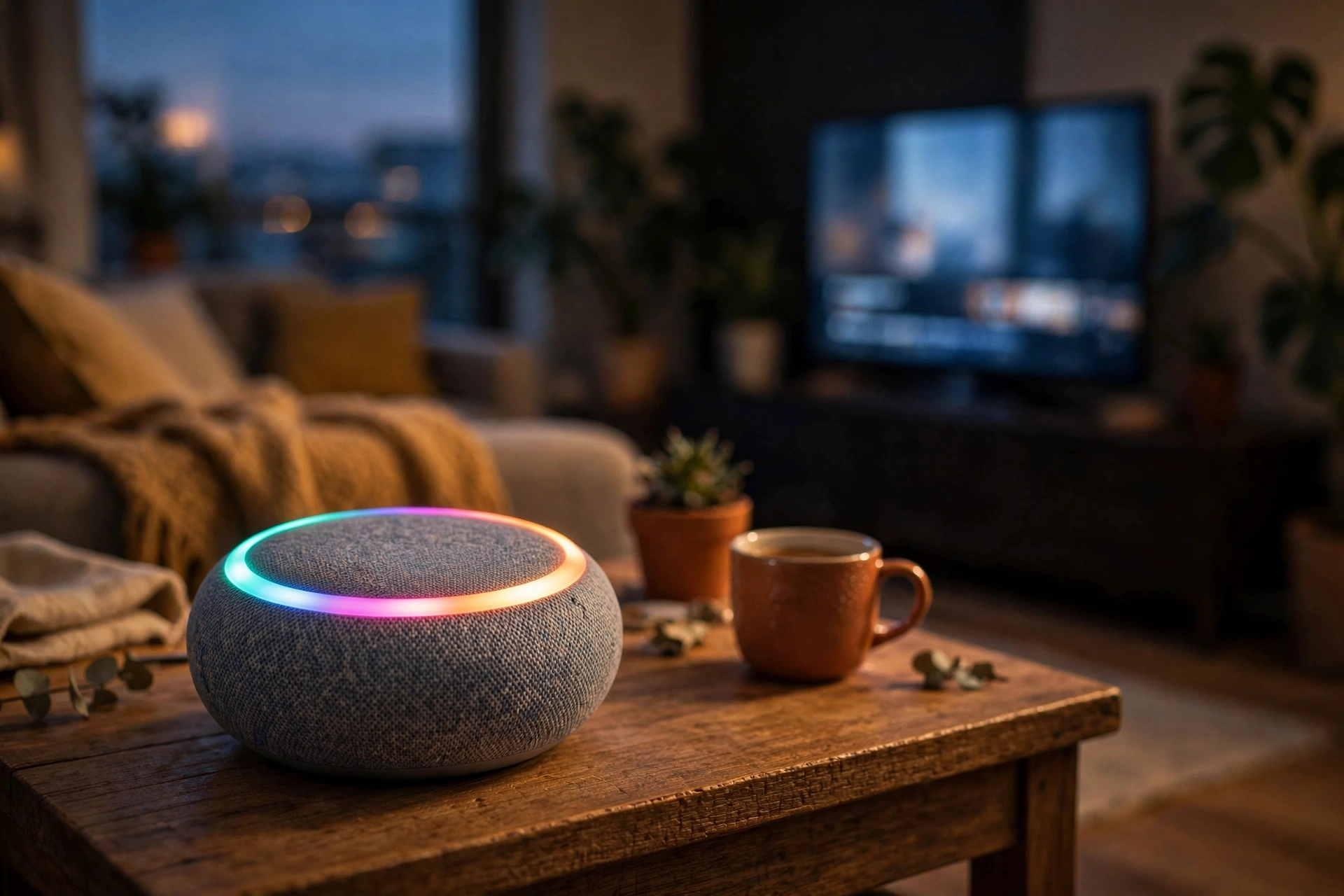
Start with the showpiece, because it is the feature you will actually see every day. Sound Glow rethinks what the glowing top of a HomePod is for. Until now, that surface mostly showed a static white glow or a simple Siri swirl. Now it becomes a visual extension of whatever is playing.
iOS 27.2 RC Sound Glow: Your HomePod Learns to Paint With Light
In the iOS 27.2 RC, Sound Glow uses the LED Matrix display built into the top cap of each HomePod. The mini carries 19 RGB LEDs. The full-size model carries 37. Instead of lighting a few of them for status, Sound Glow drives the whole array as one animated canvas, matching colors to the album artwork of the song or podcast currently playing.
The animation is not random. It glows and pulses in concert with the audio, responding to bass and treble changes as the track moves. The 9to5Mac reviewer tested it extensively and praised the vibrancy and the use of all LEDs rather than a subset. One honest limit: it is vibrant but not extremely bright, and it will not light up a room.
Ambient sound gets its own treatment. The iOS 27.2 RC treats Soundscape tracks such as rain, forest, and fireplace differently from music, because there is no album artwork or beat to follow. For those sounds, Apple built bespoke RGB animations instead of running the standard audio pipeline.
You control it from the Home app. A new Sound Glow toggle appears in the HomePod settings, so you can switch the whole effect off if you prefer the old quiet top.
The compatibility story is the best part of Sound Glow. Apple did not gate it behind the recently announced HomePod mini 2. Owners of the original mini and the second-generation full-size HomePod get the same feature on their existing speakers.
iOS 27.2 RC Lock Controls: A Quieter Top Cap
The second HomePod feature is smaller, but parents will understand it instantly. With the iOS 27.2 RC, a new Lock Controls toggle appears in the Home app under HomePod settings. Turn it on, and touch interactions on the top cap stop working. That covers taps, touch and hold gestures, and the volume controls built into the surface.
Apple even built in a little personality for the locked state. Touch the top cap while Lock Controls is on, and the surface shows a red animation shaking back and forth, as if saying no. It is a clear signal to a curious child, and a small delight for adults who notice the detail.
The lock is selective, not total. Timers, intercom alarms, check-in alerts, and FaceTime calls placed through touch stay responsive even with the lock on. Accidental taps and volume chaos are blocked, while the things you need in a hurry still work.
TV Profiles and Suggested Actions, Two Quiet Fixes
The TV app on iPhone finally gets profiles, a feature already available on tvOS. The change arrives with the iOS 27.2 RC, and it solves a small daily annoyance: when a child watches on your phone, their shows no longer litter your Up Next queue. You create a profile, switch to it, and the app keeps each viewer’s watching separate. It is a simple idea, and it is strange it took this long to reach the phone.
Suggested Actions is the comeback story of the release. The Messages feature first appeared in early iOS 27 betas, then was removed before iOS 27 shipped. Now it returns in the iOS 27.2 RC, reading thread content and offering the obvious next step: paste an address and it suggests opening it in Maps, type a date and it suggests adding it to Calendar. Users fine-tune it in Settings, under Messages, then Suggested Actions, toggling Calendar, Reminders, Notes, Show in Maps, and Flight and Packages. Suggestions you never use stop appearing after a month, so the feature should get quieter and smarter rather than noisier.

Apple TV Home Theater Assets Point to a Four-Speaker Setup
The most forward-looking find in the hands-on is not a feature you can use yet. The iOS 27.2 RC also contains assets showing the setup process for the fourth-generation Apple TV’s Home Theater capability. The setup is made possible by adding four HomePods arranged as two separate stereo pairs, and the assets include setup animations plus a Celebration animation that plays on successful calibration.
Read that carefully: assets are not an announcement. Apple routinely ships interface artwork for unlaunched hardware, and sometimes that artwork never becomes a product. What the assets do suggest is a wider soundstage from two stereo pairs, possibly with front and rear placement, and a Celebration animation that makes calibration feel like an event.
For existing owners, the practical question is whether older HomePods will join such a setup or whether it will require new hardware. The hands-on does not answer that. What is safe to say is that Apple is investing in the HomePod as a home theater component, and the next Apple TV generation is where that investment should show up.
| Setup element | Found in assets | Status |
|---|---|---|
| Speaker count | Four HomePods | In setup assets |
| Arrangement | Two stereo pairs | In setup assets |
| Target device | 4th-gen Apple TV | Unannounced hardware |
| Setup animations | Included | In setup assets |
| Celebration animation | On calibration success | In setup assets |
Why This Matters
Step back, and the iOS 27.2 RC shows Apple treating the home as a platform, not a collection of gadgets. Sound Glow gives the HomePod a visual identity. Lock Controls fixes a real household problem. Profiles and Suggested Actions remove small daily frictions. The Home Theater assets hint at a bigger living room ambition. None of these sells a phone alone, but together they make the Apple home feel more considered, and reward people who own the hardware.
There is also a quiet competitive angle. Rival smart speakers have offered colorful light rings for years, but those lights usually signal status, not content. Tying the animation to the actual music is a more thoughtful version of the idea, and one more reason to stay inside Apple’s ecosystem.
What to Watch Next
When the iOS 27.2 RC ships to everyone, check the toggles first: Sound Glow and Lock Controls both live in the Home app under HomePod settings. Watch whether Sound Glow stays as vibrant on older minis as on the new model, and whether the red shake animation survives contact with real children. The bigger question is the fourth-generation Apple TV, and whether four HomePods become the default living room.
The Verdict
The iOS 27.2 RC is a home-focused update wearing a phone update’s name. Sound Glow is the delight, Lock Controls is the practical fix, profiles and Suggested Actions are the quiet improvements, and the Home Theater assets are the teaser for what comes next. If you own a HomePod, install it on day one.
Sources
- 9to5Mac, iOS Decoded: iOS 27.2 RC hands-on with HomePod Sound Glow, TV profiles, Apple TV Home Theater assets and more, October 21, 2026. Hands-on impressions attributed to the 9to5Mac reviewer; PetaTech24 did not test these features.
- Apple, official product and support pages for HomePod, Apple TV, and iOS.